admin
admin
AI-powered search tools like Perplexity or AI Mode in Google Search have been on the rise since the technology has led to a significant shift in user behaviour in terms of how they are looking up information online.
Using AI chatbots, AI-powered search tools, and agentic AI web browsers, users can now get all sorts of responses back on almost any topic imaginable. While most of these products have been designed to make it easy for users to type in anything they like and get it to understand them, there are unique ways of getting more interesting and useful results out of Perplexity AI.
This practice is commonly referred to as ‘prompt engineering’ and has become a skill of its own.
Earlier this year, Perplexity briefly beat OpenAI’s ChatGPT to become the number one free app on Apple’s App Store in India following Bharti Airtel’s announcement that it is giving away a free one-year Perplexity Pro subscription to eligible users in the country.
The Jeff Bezos-backed startup also continuously updates its AI search engine to ensure that users have access to all the latest AI models, including OpenAI’s newly introduced GPT-5.2. Let’s take a look at how users can transform Perplexity AI into their full-time research assistant that they can collaborate with for multiple workflows across various disciplines.
Use Perplexity to automate literature reviews
Instead of manually scanning dozens of papers, prompt Perplexity to summarise recent research in a structured table. Ask it to compare methods, surface disagreements in results, and flag open questions.
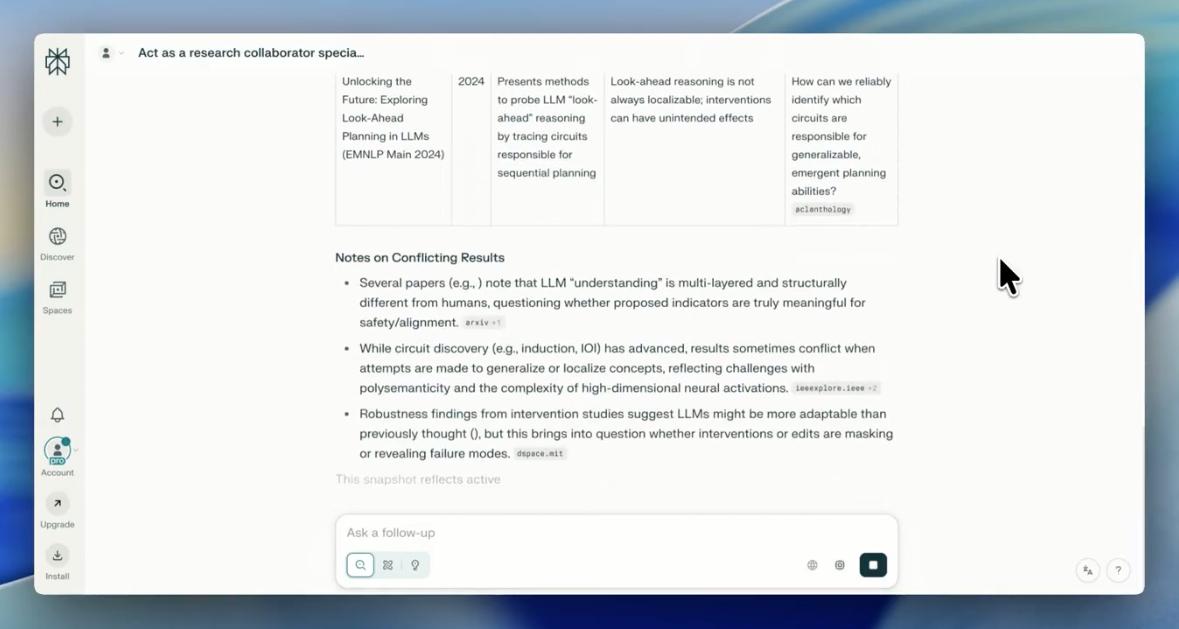 This is especially useful when drafting background or review sections quickly while keeping citations in view. (Screenshot: X/Jainam Parmar)
Prompt: “Act as a research collaborator specialising in (field). Search the latest papers (past 12 months) on (topic), summarise key contributions, highlight methods, and identify where results conflict. Format output as: Paper | Year | Key Idea | Limitation | Open Question.”
Story continues below this ad
Compare various AI models using Perplexity
When evaluating competing AI models or systems, use Perplexity to pull together benchmarks, parameter countries, inference, training techniques, etc, from the internet and draft a tabular format comparison to help users assess real-world trade-offs. This will help users save time as they do not have to dig through multiple sources before making a decision.
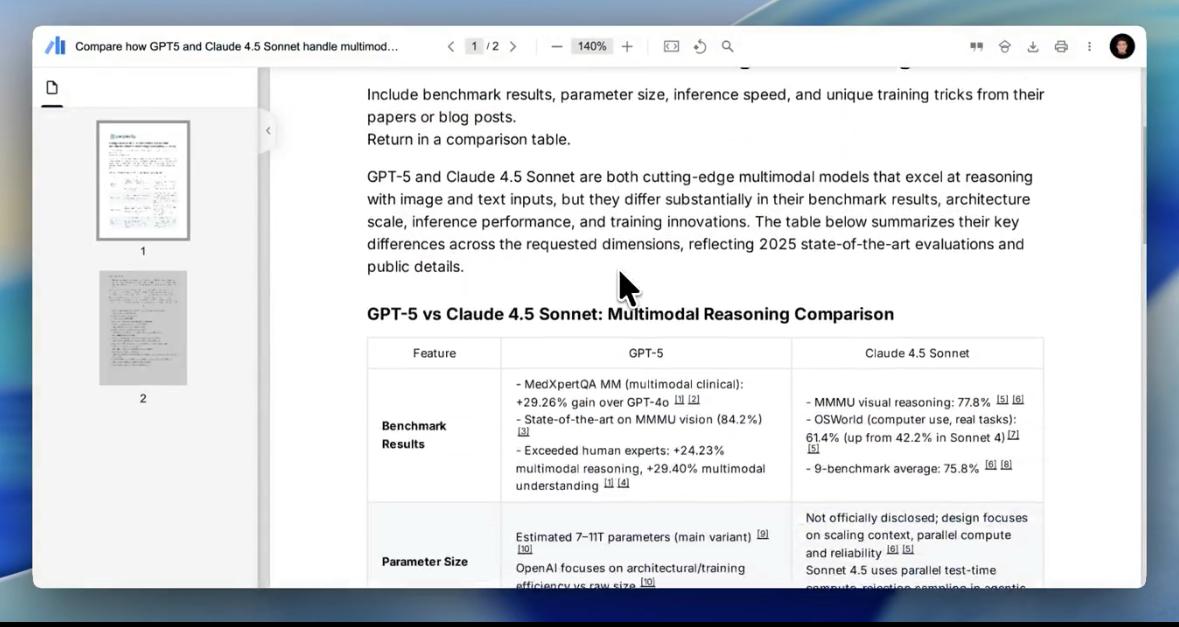 Tabular format comparison to help users assess real-world trade-offs.(Screenshot: X/Jainam Parmar)
Prompt: “Compare how (Model A) and (Model B) handle (task). Include benchmark results, parameter size, inference speed, and unique training tricks from their papers or blog posts. Return in a comparison table.”
Turn research papers into startup ideas
Perplexity is not just for research work, it can also help translate your ideas into business opportunities by scanning various studies and extracting the relevant, commercially useful insights. This data can also be translated into potential products to target users. This specific use case could be helpful for founders, VCs, and entrepreneurs.
Prompt: “You’re a venture researcher. Based on the latest papers in (field), identify 3 potential startup ideas that could emerge from those discoveries. Include: core insight, possible product, and target user.”
Story continues below this ad
Draft policy and grant proposals faster
For policy research or grant writing, you can use Perplexity to assemble evidence-backed first drafts. By giving a structured prompt that includes problem statements and existing research/references, the AI tool will respond with a neat outline.
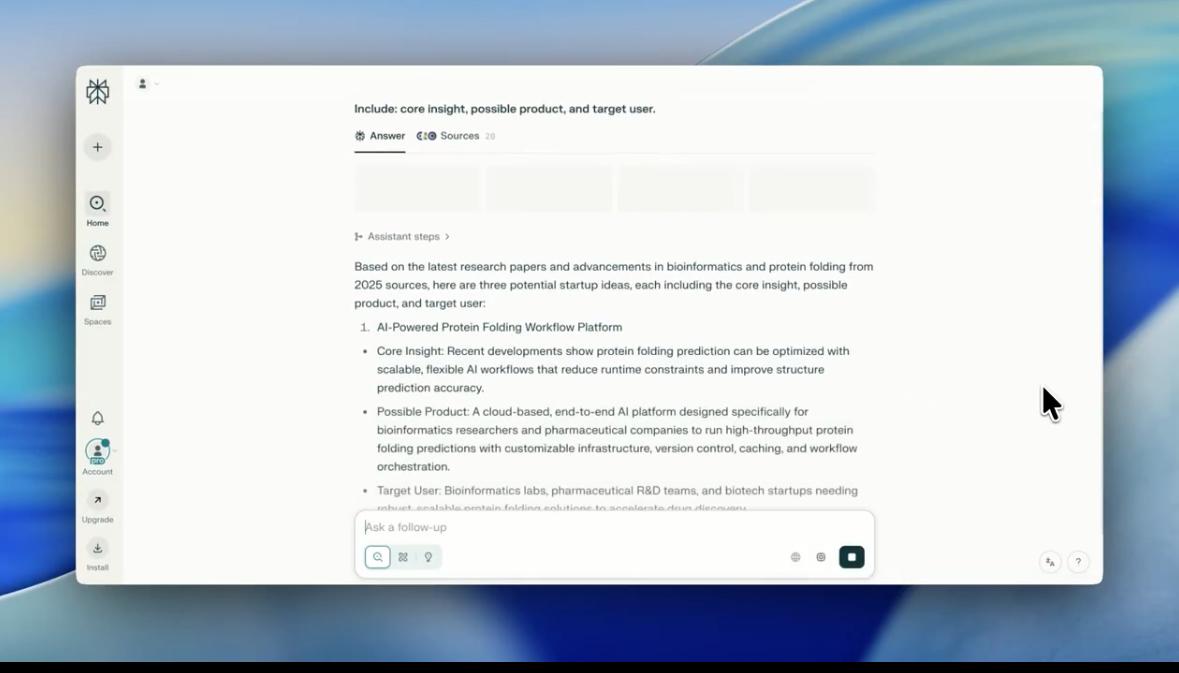 It can help translate your ideas into business opportunities. (Screenshot: X/Jainam Parmar)
Prompt: “You’re a policy researcher drafting a grant proposal on (topic).
Create a 1-page summary with:
• Problem Statement
• Recent Evidence (cited)
• Intervention Logic
• Expected Impact
• References”
Get deep explanations on any topic
You can also ask Perplexity to explain complex concepts at an expert level, using historical context, analogies, and recent citations. Then, ask it to summarise the core ideas into bullet points. This use case is ideal for researchers who want depth without having to wade through multiple books and research papers.
Prompt: “Explain (complex concept) as if I’m a PhD who wants depth but no fluff. Use analogies, historical context, and citations from recent literature. Then, summarise in 5 bullet takeaways.”
Story continues below this ad
Besides these 5 tips, Perplexity can also be used to visualise theories into practical models. It can further be used to map emerging markets such as AI infrastructure, edtech, and healthtech. Another common use case is instantly boosting content credibility for professional social posts.